
 Wormhole
Stop hunting through terminals.
Wormhole keeps every terminal in one window, shows which are busy and which are done, and opens your git changes beside them.

ThemeWormhole
A terminal that feels like home.
Use the shell and command-line tools you already know. Open a few terminals, split them side by side, and keep your projects organized in groups—or use tabs if that’s more your style.

Everything in its place.
Keep your terminals, projects, and coding agents organized, so you can spend less time switching around and more time on the work in front of you.
Keep your terminals together
Group terminals by project, arrange them in tabs, or split them side by side. Keep your editor, server, and tests where you can see them.
Know when an agent needs you
Run coding agents in your terminals and see whether they’re working, finished, or waiting for your input. Wormhole can notify you when it’s time to jump back in.
Review changes as you work
See changed files and review diffs beside your terminal. Compare changes side by side or inline, without switching to another app.
Keep work and personal apart
Create separate profiles for work, personal projects, or anything else. Each one has its own terminals, theme, Git identity, and supported agent logins.
Make it yours
Choose a built-in theme, import one from Ghostty, iTerm2, or Alacritty, or create your own. Pick the fonts and colors that feel right for you.
Find what you need, fast
Search your terminals, folders, commits, settings, and actions from one place. Jump straight to what you need without hunting through windows.
More of what you expect from a terminal.
Your shell, your tools
Use your login shell by default, or choose another shell for a terminal.
Command blocks
With shell integration, commands and their output stay together. Jump between them, copy output, or run a command again.
Images in your terminal
View supported images, previews, and plots alongside your terminal output.
Keyboard-friendly
Navigate between areas, search for actions, and move between terminals using your keyboard.
Ready for scripts
Use the Wormhole command-line tool to check terminal status and send notifications from your scripts.
Your data stays on your Mac
Wormhole has no analytics or crash reporting. Your settings and saved terminal output are stored locally.
Made for busy terminals.
Builds, logs, and coding agents can produce a lot of output. Wormhole uses GPU rendering and its own terminal engine to keep your terminal responsive as you work.
Take a look around.
See Wormhole in action, from your first terminal to a workspace full of projects.
Actual screenshots from Wormhole.
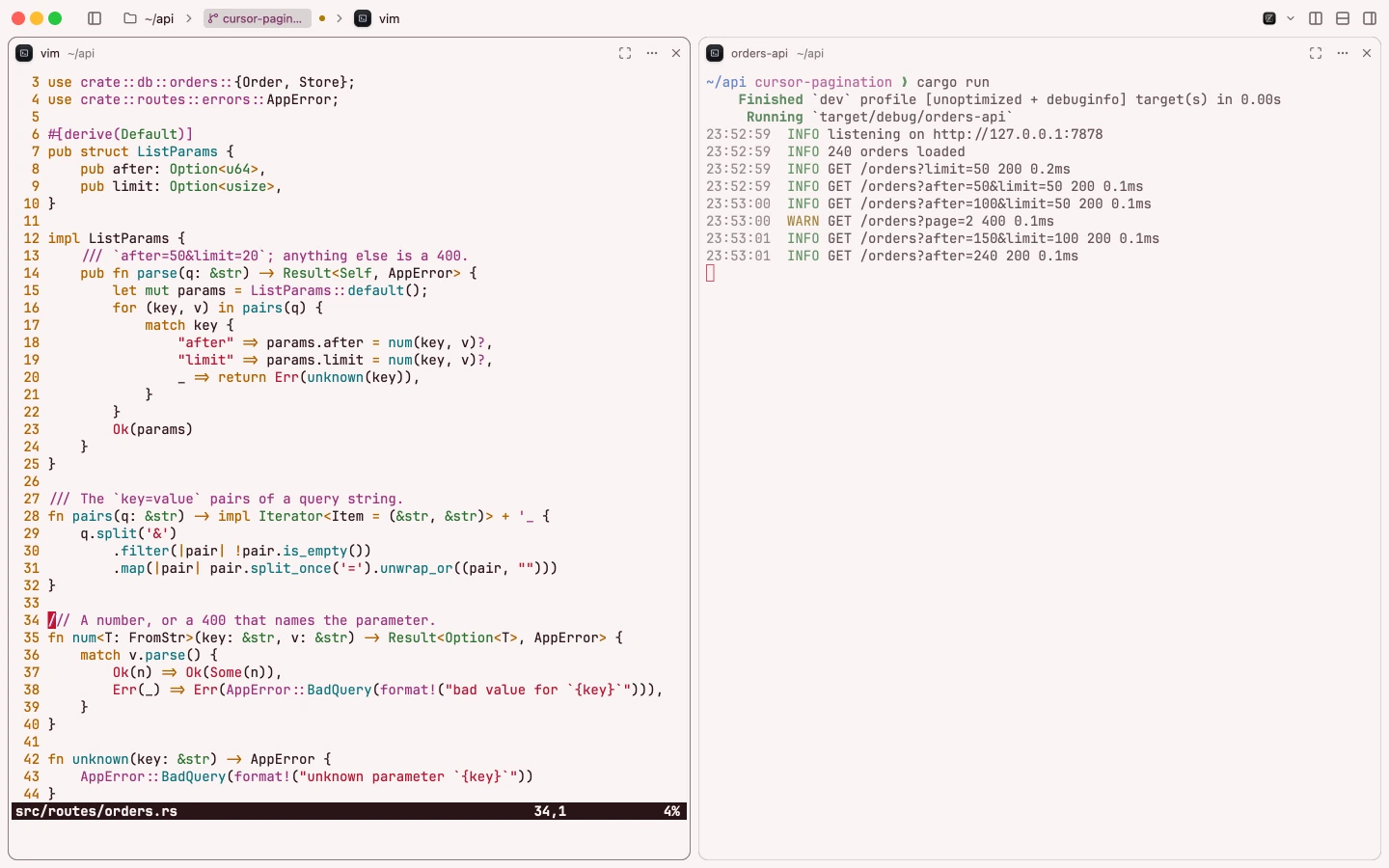
Splits
Keep your editor, server, and tests side by side.
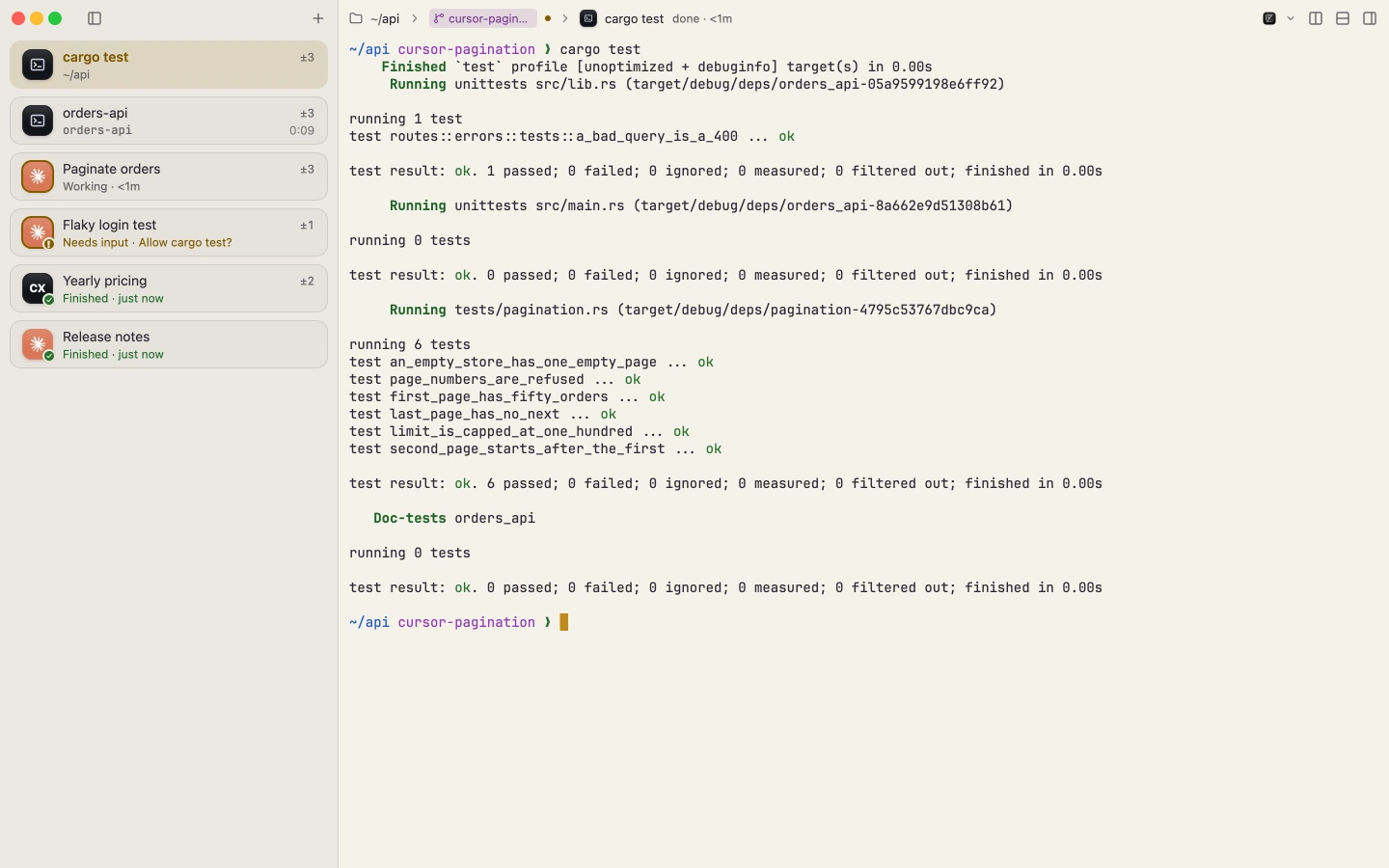
Agent status
See which agents are working and which ones need your attention.
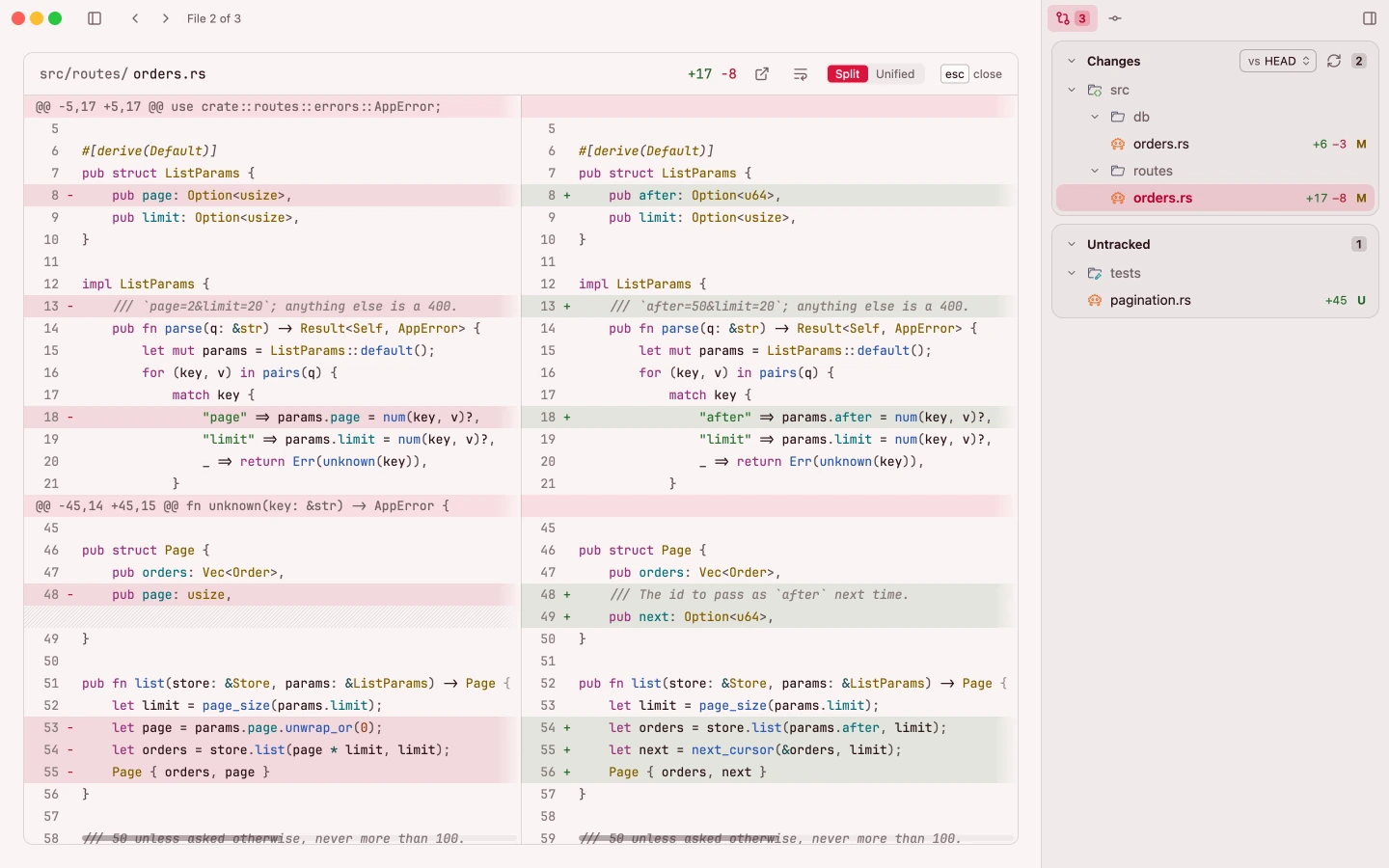
Changes
Review changed files and diffs next to your terminal.
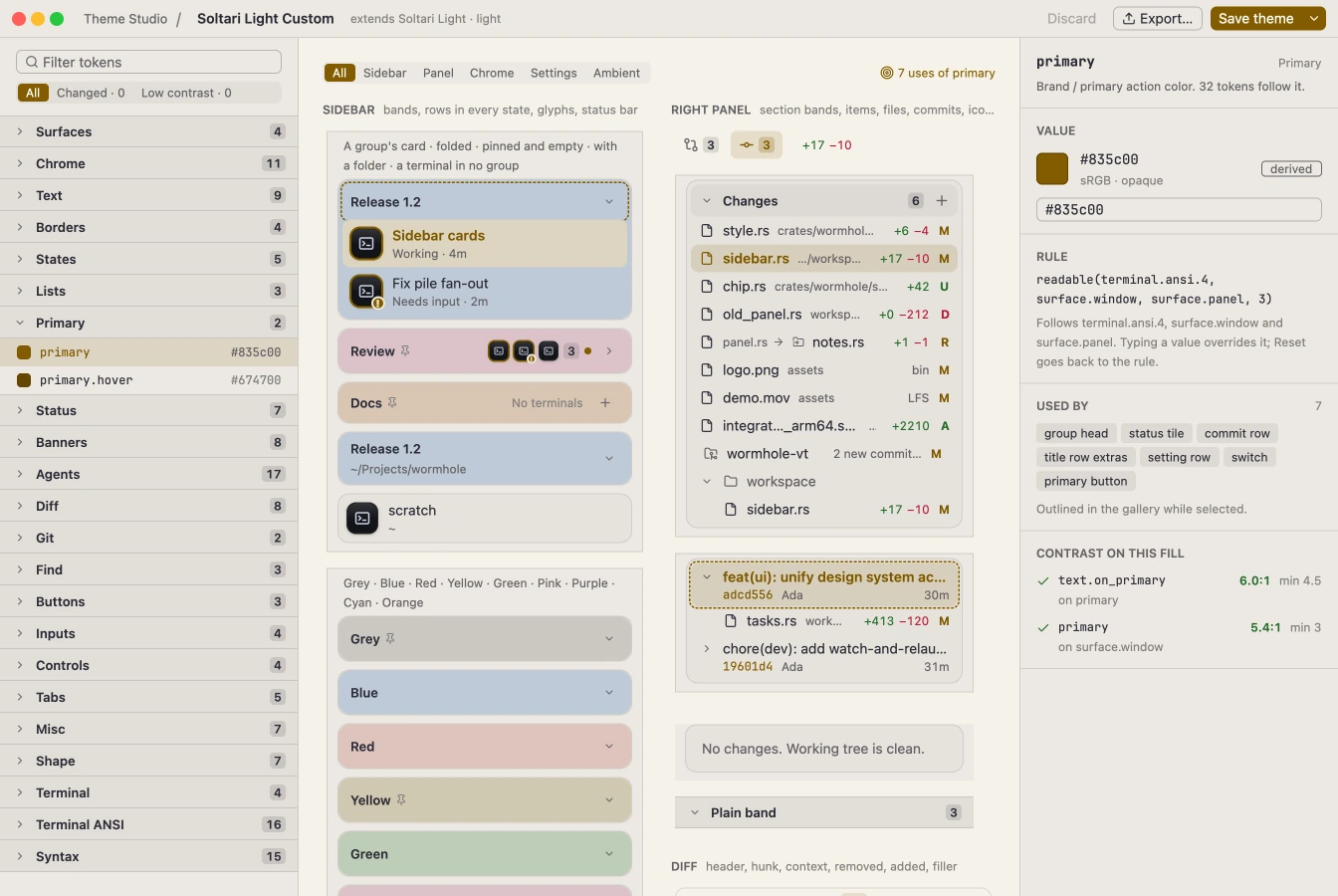
Themes
Choose a theme or create one that feels like yours.


Bring your workflow with you.
Wormhole uses your login shell, so your existing shell configuration and command-line tools are ready to go. Bring over a theme from Ghostty, iTerm2, or Alacritty, and choose any font installed on your Mac.
Your terminal. Your data.
Wormhole has no account, analytics, or crash reporting. Your settings and saved terminal output stay on your Mac.
Wormhole checks for updates online. The tools and agents you run have their own network access and privacy policies.
Built with accessibility in mind.
Navigate the app with your keyboard and use macOS settings like Reduce Motion and Increase Contrast. VoiceOver supports parts of the interface and agent status announcements.
Good to know.
What is Wormhole?
Wormhole is a terminal for Mac. You can use it to run commands, connect to servers, work on projects, and run coding agents—all in one place.
Can I use Wormhole without AI or coding agents?
Absolutely. Wormhole works as an everyday terminal, whether you use coding agents or not. You can use your usual shell and tools, organize terminals into groups or tabs, and split them side by side.
Will my existing shell and tools work?
Wormhole starts with your Mac’s login shell, so you can keep using your existing shell setup. Common tools such as SSH, Vim, and tmux are supported too.
Can I bring my setup from another terminal?
Your shell configuration comes with you, and you can use any font installed on your Mac. You can also import themes from Ghostty, iTerm2, and Alacritty. Other terminal settings may need to be set up in Wormhole.
How does Wormhole work with coding agents?
Run your agent in a terminal as you normally would. Wormhole recognizes supported agents, including Claude Code, Codex, and Gemini CLI, and shows when they’re working, finished, or need your input. You can also review file changes next to the terminal.
Do I need to set up anything for agent status?
Wormhole detects supported agents automatically and estimates their status from terminal activity. For more direct status updates, you can optionally install hooks from Settings. Without them, status updates may sometimes be less precise.
Is Wormhole free?
Yes. Wormhole is free to download and use, and its source code is available on GitHub. You don’t need an account. Coding agents and other services you use in the terminal may have their own pricing.
What happens to my terminals when I quit the app?
Wormhole restores your workspace and recent terminal output when you reopen it. Your shells start fresh, so commands, servers, and agents that were running need to be started again.
Is my terminal data private?
Wormhole has no analytics or crash reporting. Your settings and saved terminal output stay on your Mac. Update checks contact Wormhole’s download server; the programs and agents you run have their own network access and privacy policies. Read the privacy details.
Which computers can I use it on?
Wormhole runs on Macs with macOS 14 Sonoma or later, including both Apple silicon and Intel models. It isn’t currently available for Windows or Linux.

Make yourself at home in the terminal.
Download Wormhole and bring your projects, tools, and coding agents together.
Free and open source · macOS 14+ · Apple silicon and Intel
Version 1.6.3